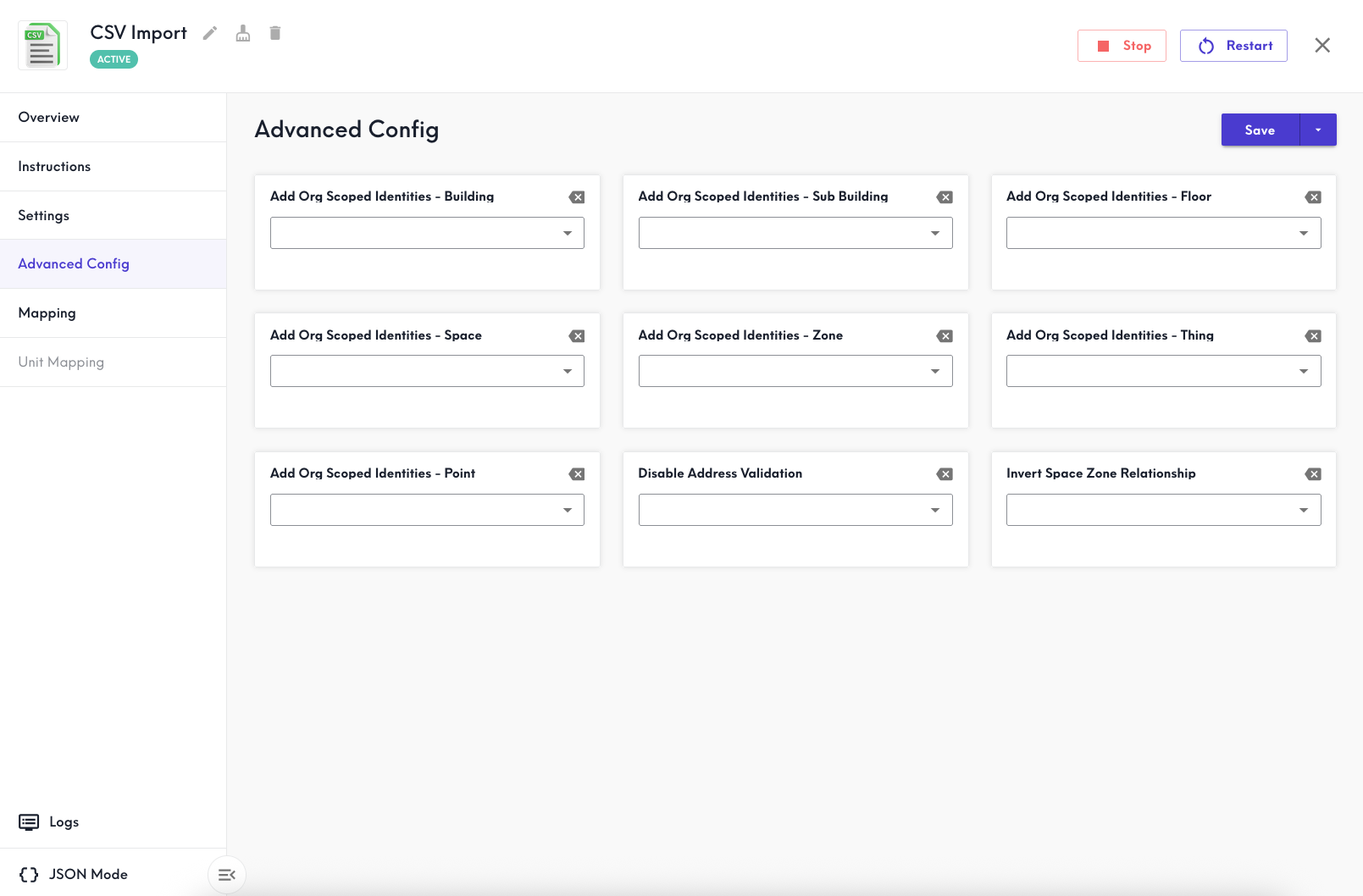
Save changes to the Settings and Advanced Config tabs in order to apply them when you import your CSV to the Mapping tab.
Settings
On the Settings tab, select the Site to which you wish to add this data and Save.
Optionally Download Template Files to get you started, or download the previously uploaded files if you've imported to this CSV connector previously -- either the Original or the most recently Processed file.
Advanced Config
The Advanced Config tab lets you enable or disable several default options on the CSV connector.
Read more on org-scoped identities: When should I enable org-scoped identities?
Add Org Scoped Identities - Building
If set to true, this uses the building.RefId value to add an identity to the building scoped to the entire organization. If true, the Building will merge with any other Building that shares the same org-scoped identity. If false or not selected, this identity remains scoped to the connector only.
Add Org Scoped Identities - Floor
If set to true, this uses the floor.RefId value to add an identity to the Floor scoped to the entire organization. If true, the Floor will merge with any other Floor that shares the same org-scoped identity. If false or not selected, this identity remains scoped to the connector only.
Note: Floors merge on the floorLevel value when scoped to the same Building.
Add Org Scoped Identities - Space
If set to true, this uses the space.RefId value to add an identity to the Space scoped to the entire organization. If true, the Space will merge with any other Space that shares the same org-scoped identity. If false or not selected, this identity remains scoped to the connector only.
Note: Spaces merge on the spaceCode value when scoped to the same Floor.
Add Org Scoped Identities - Zone
If set to true, this uses the zone.RefId value to add an identity to the Zone scoped to the entire organization. If true, the Zone will merge with any other Zone that shares the same org-scoped identity. If false or not selected, this identity remains scoped to the connector only.
Add Org Scoped Identities - Thing
If set to true, this uses the thing.RefId value to add an identity to the Thing scoped to the entire organization. If true, the Thing will merge with any other Thing that shares the same org-scoped identity. If false or not selected, this identity remains scoped to the connector only.
Add Org Scoped Identities - Point
If set to true, this uses the point.RefId value to add an identity to the Point scoped to the entire organization. If true, the Point will merge with any other Point that shares the same org-scoped identity. If false or not selected, this identity remains scoped to the connector only.
Disable Address Validation
If set to true, then automatic address validation is disabled, and no changes will be made to the address value. When disabled please note the following:
- Required: Latitude and longitude values
- Strongly recommended to include in the building.Address field: Street Address (or PO Box), Locality, Region, Postal Code, and Country
Read more: When should I disable address validation?
Invert Space Zone Relationship
If set to true, the Space-Zone relationships created by the mapping will be Building -hasPart-> Floor -hasPart-> Zone -hasPart-> Space -hasPart-> Thing -serves-> Zone.
By default when disabled, the relationships are Building -hasPart-> Floor -hasPart-> Space -hasPart-> Zone, Thing -hasLocation->Space, and Thing -serves-> Zone.
Read more: When would I invert the Space Zone relationship in the Advanced Config?